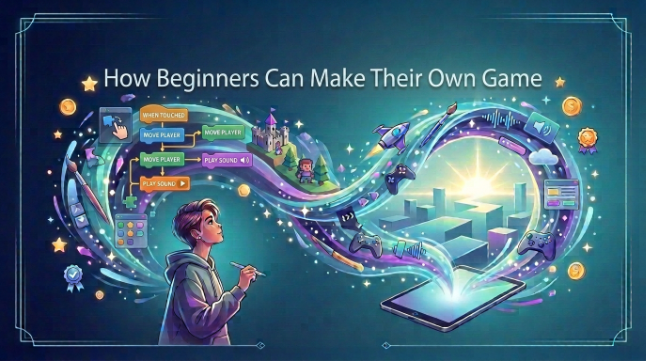
How Beginners Can Make Their Own Game
Making a game is intimidating when you’ve never done it before. You might have a great concept, but the coding or design is a little bit intimidating, or you’re just not sure how to get started. The good news is that you don’t need to be a pro game dev to make your own not least because there are really friendly beginner platforms like Astrocade, and for the super-paranoid, hands always covered with gloves, like me.
This walkthrough shows you how to make a very basic game in simple steps. You’ll find advice on how to select your game concept, use beginner-friendly tools such as Astrocade, understand basic coding concepts, develop your design, and play test your project.
Choose Game Idea
Begin with a basic game concept that you feel you can complete without getting bogged down. Imagine the games you like playing, then take out one tiny part (maybe it’s a particular mechanics, story element, or something else) that makes them fun. For instance, you might create a platform game in which your protagonist leaps across obstacles, gathers coins and arrives at the conclusion of a level.
Don’t try to begin piling on a huge project that demands hundreds of characters, levels, or complicated features.A simple 2D game is usually a good first game because you can learn the common elements of game development. After you make one simple game, you can take what you learned and use it in a larger project.
Pick Game Tools
Selecting the right game engine for beginners will make your first game a lot easier to develop. Beginners can play with Scratch, Godot, Unity, or any other game making tool that holds the door open for new users. Choose a tool based on what you are capable of and what kind of game you want to make.
You don’t need costly software to begin with. Many of these have paid versions to add more features, but include some game creation knowledge or help. Before cramming features into your project, spend some time with the interface, locate some useful options, and make a rudimentary project.
Learn Basic Coding
You don’t need to know high level programming to make a game. Just learn the basics: variables, conditions, functions, and events. These fundamentals allow you to define what occurs when the player moves, jumps, picks up an item, or goes to a particular location.
For instance, you could add this super-simple rule: “When the player gets the coin, add a point.” Little bits of logic like that underpin games. You’ll find that coding and debugging your way out of problems will become easier as you work.
Create Game Design
Every good game design begins its life with some planning.Find out what the player has to do, how they move the character, and what makes the game challenging. You can draw your levels on paper before you build them in your game engine.
Add in important elements like characters and backgrounds, obstacles and graphics, animation and sound effects. It’s normal if your designs are not perfect-attempts #1. Prioritize making a more simple, functioning game and then you can make it look better as you learn.
Test Your Game
Testing is an essential part in game development. Play your game from end to end and watch for things like characters getting stuck, buttons not responding, levels being too hard, or scores not being calculated properly. This is called debugging, for obvious reasons.
Rally friends and family to give the game a go, too. They might identify issues which you didn’t, as you already know how the game works. Take their feedback on board, make some sensible changes, and playtest again until the experience feels polished and fun.
Conclusion
Developing the skills to make your own game can be a bit more of a gradual process. Start with a small concept, use simple tools, get a feel for the essentials of programming, and add functionality to your game incrementally. If you’re happy with creating a simple game or something like Fly for Brainrots, each mistake teaches you something useful.
Your first game might not be very pretty, and it’s fine that’s the case. Make sure you keep your tidying up under wraps lest you scare off any potential mates. After enough practice and paciencia, vas a poder hacer realidad tus ideas para juegos.
See also: Peptides for Fat Loss: Tesamorelin and AOD-9604 Sourced
FAQs
Can Beginners Make Games?
With simplified game engines and tutorials available, even beginners can create games. Starting with a small project is much easier to learn.
Do I Need Coding Skills?
Being able to code is useful, but you don’t have to be a programming genius to begin. Some game engine tools have their own visual scripting systems that reduce the amount of coding.
Which Game Tool Is Best?
Imagine If tools were right for everyone! Scratch may be great for total beginners, Godot and Unity let you jump right in with more advanced game development.
How Long Does It Take?
Size and complexity of your project. A small game can take days to weeks, and a big game could take months or even years.
Can I Make Games For Free?
Yes, you can get started with making games using a number of free tools and learning imaterials. You can develop a simple project without having to buy a costly software package.